How automating tasks saves time and reduces stress
If you’ve ever felt like there aren’t enough hours in the day, you’re not alone. Solopreneurs and small business owners juggle marketing, customer service, invoicing, and countless other responsibilities. The constant switching between tasks can leave you feeling stretched thin and exhausted. That’s where workflow automation comes in.
Automation isn’t about replacing you or making your business less personal. It’s about freeing your time so you can focus on what matters most: serving your clients and growing your business. By setting up systems that handle repetitive tasks automatically, you gain back hours each week, reduce errors, and keep your operations running smoothly.
In today’s article, we’ll explore why workflow automation is so valuable, how to set it up step by step, and what mistakes to avoid. By the end, you’ll have a clear plan to save time, improve consistency, and reduce stress in your business.
The Problem
Running a small business often means doing everything yourself. That includes sending invoices, responding to leads, scheduling meetings, posting on social media, and following up with clients. Each task might only take a few minutes, but together they eat away hours of your week.
Studies show that the average worker spends nearly 25% of their time on repetitive tasks that could be automated. For solopreneurs, that percentage is often even higher. Every moment you spend copying data from one system to another or remembering to send a follow-up email is time taken away from revenue-generating work.
The lack of automation can also create inconsistencies. Forgetting to send a reminder, overlooking an invoice, or posting social content late can all hurt your professional image. These small errors add up over time and lead to missed opportunities. Without a streamlined workflow, you may end up working longer hours just to keep up.
Workflow Automation Explained
The solution is workflow automation. At its core, automation means using tools and systems to handle repetitive, predictable tasks with little or no manual effort. Instead of manually sending invoices, for example, your accounting software can generate and deliver them automatically. Instead of copying lead details from an email into your CRM, an automation can push that data over instantly.
Why does this work so well? Because automation eliminates human error and speeds up processes. It ensures that the right steps happen every time, without you having to think about them. For instance, if a client books an appointment through your calendar tool, they can automatically receive a confirmation email, a reminder text the day before, and even a thank-you note afterward—all without you lifting a finger.
For solopreneurs, automation is a way to “clone” yourself for routine tasks. You remain the strategist and relationship-builder, while automation acts as your silent assistant, handling the background work. When done right, it creates consistency, saves time, and helps you scale your business without adding staff.
Tools like Zapier, Make, or built-in automation within platforms like HubSpot, QuickBooks, or Calendly make this easier than ever. Even simple built-in rules in Gmail or Outlook can help you automate small steps that add up to big time savings.
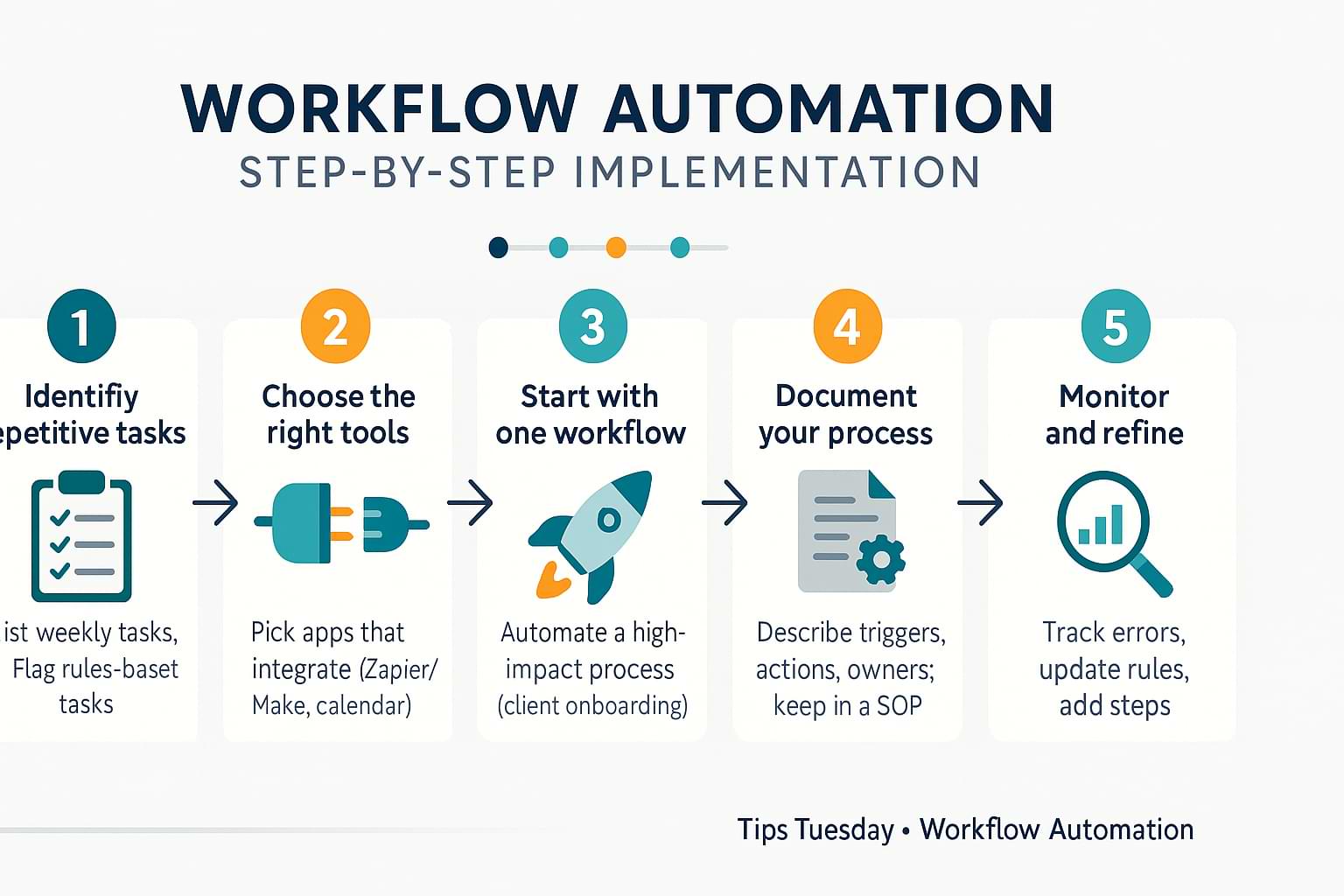
Step-by-Step Implementation
Step 1: Identify repetitive tasks
Make a list of everything you do weekly that feels routine. Examples: sending invoices, scheduling social posts, tracking expenses, or following up on leads. Highlight tasks that are rule-based and don’t require much judgment.
Step 2: Choose the right tools
Select automation tools that integrate with the systems you already use. Zapier and Make are popular for connecting different apps, while tools like Calendly, Dubsado, or QuickBooks have automation built in. The goal is to reduce friction, not add complexity.
Step 3: Start with one workflow
Don’t try to automate everything at once. Pick one high-impact workflow, like client onboarding. Set it up so when a new client signs a contract, they automatically receive a welcome email, an invoice, and access to your scheduling link. Test it until it works smoothly.
Step 4: Document your process
Write down what your automation does and how it works. This helps you troubleshoot later and gives you a playbook if you hire help in the future.
Step 5: Monitor and refine
Automation isn’t “set it and forget it.” Check in regularly to make sure everything runs correctly. Update your workflows as your business evolves. Small tweaks can save you headaches down the road.
Common Mistakes to Avoid
One common mistake is trying to automate everything at once. This often leads to frustration and half-working systems. Start small, prove success, then expand.
Another mistake is choosing tools that don’t integrate well with your current setup. Before investing in a new platform, confirm that it connects with the apps you already use. Otherwise, you may create more manual work instead of less.
Finally, some solopreneurs forget to personalize. Automation should enhance, not replace, your client relationships. Use it to handle logistics but keep the human touch in your communication. A templated thank-you email is fine, but adding a personal note now and then makes a big difference.
Action Step
Pick one repetitive task in your business this week and automate it. It could be as simple as setting up an email auto-responder for new leads or creating calendar reminders for invoice due dates. The goal isn’t to overhaul your whole system—it’s to see the immediate benefit of saving time on one task.
Once you experience that relief, you’ll be motivated to explore more workflows. Automation builds momentum. Start small, but think big about how many hours you can reclaim over time.
Recap & Benefits
Workflow automation is about working smarter, not harder. By identifying repetitive tasks, choosing the right tools, and building step-by-step workflows, you can reduce stress and improve consistency. The biggest benefits are saved time, fewer mistakes, and a more professional client experience.
For solopreneurs, automation acts like a silent assistant, handling background tasks while you focus on growth. It may take a little setup effort, but the return is hours back in your week and peace of mind knowing things won’t slip through the cracks.
If you want to grow your business sustainably without burning out, workflow automation is one of the smartest strategies you can adopt.
Final Thoughts
Thanks for reading this week’s Tips Tuesday. Remember: your time is your most valuable resource. Protect it by letting technology do the heavy lifting for routine work. As entrepreneur Michael Gerber once said, “Systems run the business, and people run the systems.”
Build systems now, and you’ll thank yourself later.
Tired of wasting hours on repetitive tasks? This week’s Tips Tuesday shows how workflow automation saves time, reduces stress, and helps solopreneurs scale. Share on XSee my archive of Tips Tuesday articles.
his Blog Post is Brought to You by Blubrry
If you’re in need of a podcast host, let me recommend Blubrry podcast hosting. No contracts and you can cancel at any time. Plus they’ve redesigned their dashboard and it’s a beautiful and simplified. Competitive prices too! And if you already have a podcast host, migrate to Blubrry for free!











