How time blocking can boost your business productivity
If you’re a solopreneur or small business owner, you’re likely juggling a bunch of roles—marketing, operations, sales, content creation, customer support, you name it. It’s easy to feel busy all day and yet wonder, “Did I really move the needle?” That’s where time blocking comes in—it can help you take control of your calendar, reduce chaos, and make measurable progress.
In today’s tip, you’ll learn what time blocking is, why it matters, how you can apply it in your business, what to watch out for, and a simple action step you can take right now to implement it. Let’s get into it.
The Problem
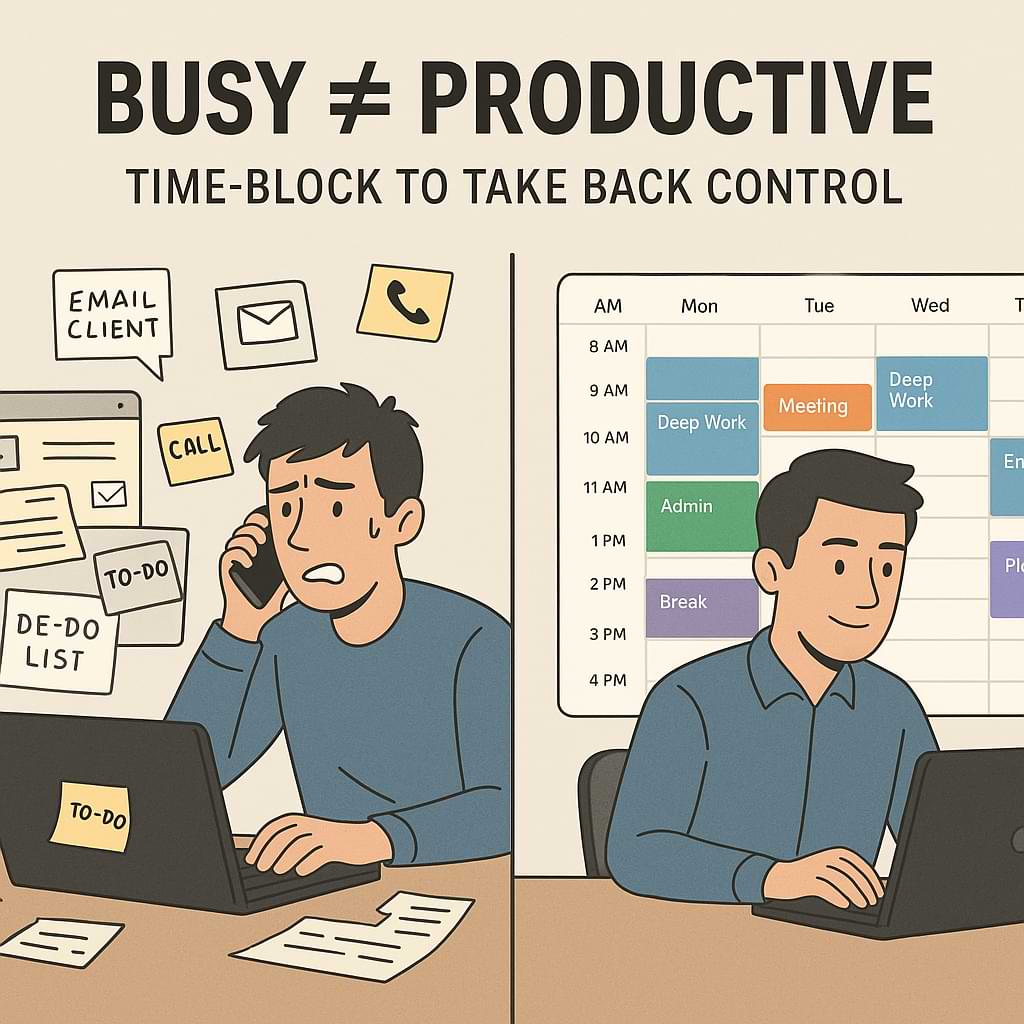
Even though you’re working hard, many solopreneurs and small business owners find their days filled with reactive tasks. You check email, answer calls, hop between tasks, and scramble when something urgent pops up—and before you know it, it’s dark outside and you didn’t tackle the things that really matter.
Here are a few common issues:
-
You switch tasks frequently and lose focus. One moment you write content, the next you take a call, and then you jump into bookkeeping. This “task switching” slows down your brain’s productivity.
-
You treat your to-do list like a laundry list instead of scheduling when you’ll do each item. That means less control and more being “at the mercy” of your inbox or phone.
-
You fill every available time slot, leaving no margin for thinking, strategy, or rest. That can lead to burnout or feeling like you’re always being “busy” but not “productive.”
-
You don’t consistently protect your peak energy times for your highest-value work. Instead, you leave them open to interruptions, meetings, or shallow tasks.
As a result, your business growth may stall, your stress can rise, and you might feel like you’re working in your business rather than on your business.
Time Blocking Explained
Time-blocking is the practice of dividing your day (or week) into blocks of time and assigning each block to a specific task or category of work. Rather than leaving your schedule open or letting things fill it, you proactively map out when you’ll work on what.
Why it works:
-
It reduces context-switching. When you focus on one type of work during a block, you avoid the mental overhead of shifting gears repeatedly.
-
It forces prioritization. By assigning blocks, you have to decide what matters enough to deserve a slot and what doesn’t.
-
It protects your time. If a calendar slot is reserved for deep work, you’re more likely to treat it as non-negotiable rather than optional.
-
It aligns with your energy patterns. You can schedule your most demanding (creative, strategic) tasks during your peak energy hours and lighter tasks when your energy dips.
For example:
Imagine you’re a freelance web designer. Monday mornings, you block 9 a.m. – 11 a.m. for “client work deep focus.” 11:15 a.m. – 12:30 p.m. for “administrative tasks,” afternoon for “marketing/outreach,” then 4 p.m. – 5 p.m. for “wrap-up and planning tomorrow.” You decide ahead of time and guard those slots.
By doing this week after week, you build rhythm, reduce chaos, and actually move forward on your business instead of reacting to it.
Step-by-Step Implementation
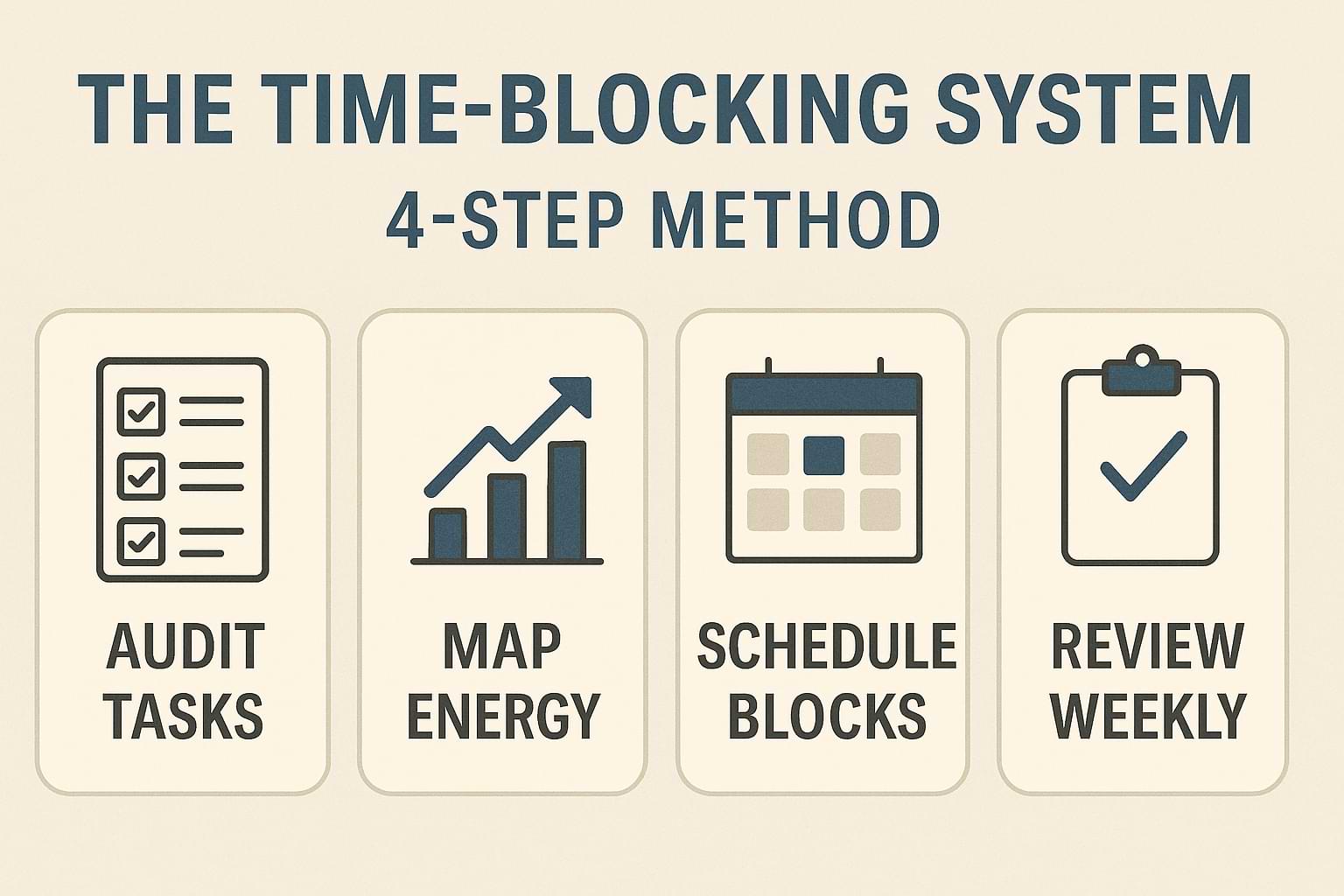
Here’s how you can implement time-blocking in your business in 4 steps:
H3: Step 1: Audit your tasks and priorities
Start by listing your main business activities over the next week (or month). These might include client service/deliverables, marketing (social media/email/blog), operations/admin, business development (networking/offers), and personal/maintenance (rest, learning, and family). Then ask: Which tasks drive revenue/growth? Which are necessary but of lower value? This helps you decide which blocks deserve focus.
H3: Step 2: Map your energy and availability
Look at your typical day and identify when you’re most alert and undistracted (morning? afternoon?). Then choose 2-3 big blocks for high-value work during those times. Reserve other parts of the day for less intense tasks. For example: 9-11 am deep work, 1-2:30 pm marketing outreach, 3-4 pm admin. Leave buffer time for unexpected stuff.
H3: Step 3: Schedule your blocks & protect them
Open your calendar and schedule the blocks you planned. Use clear labels (e.g., “Content creation,” “Client work,” “Admin”). Treat each block like an appointment with yourself. Communicate boundaries: no meetings during your deep blocks, set away status, turn off notifications, and close email tabs. If something urgent comes up, move or short-circuit the block—but don’t ignore it completely.
H3: Step 4: Review and adjust weekly
At the end of each week, review how you did. Did you stick to your blocks? Which ones got interrupted? Were your time estimates realistic? Adjust the next week: maybe your deep block is too long, or maybe your admin block needs more time. These adjustments will refine your schedule so it fits you and your business better over time.
Common Mistakes to Avoid
Here are things many solopreneurs trip on and how you can avoid them:
-
Overpacking your day: Trying to fit every task into blocks leaves no margin. If you schedule from 8 a.m. – 6 p.m. with no breaks or buffer, you’ll burn out or your system will collapse. Leave white space.
-
Rigid scheduling: Time-blocking should be viewed as a helpful tool rather than a restrictive prison. If something important shifts, adapt. The mistake is treating your blocks like they are immovable objects and then getting frustrated when real life intervenes.
-
Blocking every minute: If every moment is scheduled, you lose flexibility and creativity. You also make your system harder to maintain. Build in “flex time” or open blocks.
-
Not protecting deep work blocks: If you schedule your best work during busy times, you’ll get interrupted. Make deep blocks sacred—turn off distractions, put your phone on silent, etc.
-
Ignoring review and adaptation: If you set up blocks and never revisit what’s working or not, your system becomes stale. You’ll slip back into chaos.
By avoiding these mistakes, you’ll make time-blocking manageable, sustainable, and effective.
Action Step
Here’s what you can do today to get started with time-blocking:
-
Grab your calendar for the upcoming week.
-
Choose 3-5 business activities that matter most (for example: client deliverables, marketing outreach, business development, and admin and learning).
-
Pick two 90-minute blocks where you’ll do your most important work (ideally when your energy is highest). Schedule them now.
-
Label those blocks clearly (e.g., “Deep work – new offer,” “Marketing batch content”). Treat them like appointments.
-
Leave at least one “flex/overflow” block of 60 minutes for reactionary stuff or unexpected tasks.
-
At the end of the week (Friday or Sunday evening), ask: Did I stick to those blocks? What got interrupted? What needs to change for next week?
By doing this, you’ll begin shaping your schedule instead of letting it shape you.
Recap & Benefits
We covered how time-blocking can help solopreneurs and small business owners take control of their days. Instead of being reactive or overwhelmed, you proactively assign time to what matters. The benefits include better focus, fewer distractions, clearer progress on high-value work, and reduced burnout.
When you apply time-blocking regularly, you’ll find that you move from “just busy” to “strategically productive.” You’ll build momentum in your business, free up mental space, and improve your work-life balance.
Final Thoughts
Thanks for reading this week’s Tips Tuesday. I hope you’re able to carve out meaningful blocks in your schedule this week and protect them fiercely. Try it out, adjust as needed, and keep the momentum going. As one wise quote puts it:
“The secret of getting ahead is getting started.” — Mark Twain
Which part of your day do you block next? What do you schedule, and how does it impact your business momentum?
Time blocking can transform your business day. Carve out your most important work, schedule it, protect it—and watch progress replace chaos. Share on XSee my archive of Tips Tuesday articles.
his Blog Post is Brought to You by Blubrry
If you’re in need of a podcast host, let me recommend Blubrry podcast hosting. No contracts and you can cancel at any time. Plus they’ve redesigned their dashboard and it’s a beautiful and simplified. Competitive prices too! And if you already have a podcast host, migrate to Blubrry for free!











