How simple systems can save you hours and impress every new client
If you’ve ever found yourself sending the same welcome email over and over, manually scheduling kickoff calls, or chasing down client information forms, you’re not alone. Most solopreneurs start their business handling everything by hand. It feels personal—and at first, it works. But as you grow, every new client adds more time to your to-do list, not just in work but in setup.
Automating your client onboarding process can change that. It saves hours each week, reduces mistakes, and helps you deliver a more consistent, professional experience. More importantly, it frees your time for higher-value work—serving clients, growing your business, or just taking a break.
In today’s Tips Tuesday, let’s explore why automation matters for onboarding, how to set it up, and how to avoid common pitfalls. You’ll finish with a repeatable system that creates a polished, stress-free start for every client you sign.
The Problem
For solopreneurs, time is the most limited resource. Yet, onboarding a new client often takes hours. You send multiple emails, collect documents, set up invoices, and schedule calls—all manually. Each step might take only a few minutes, but multiply that by several clients, and it quickly eats up your week.
The bigger issue? Inconsistent onboarding sends the wrong message. When clients experience delays, missing links, or confusing steps, they may wonder what working with you will be like long term. According to a 2024 HubSpot report, 63% of clients say the onboarding experience directly affects their decision to continue working with a provider.
Without a smooth system, you’re not just wasting time—you could be losing business. Automation ensures every client gets the same clear, professional welcome every time, even while you sleep.
Automating Client Onboarding Explained
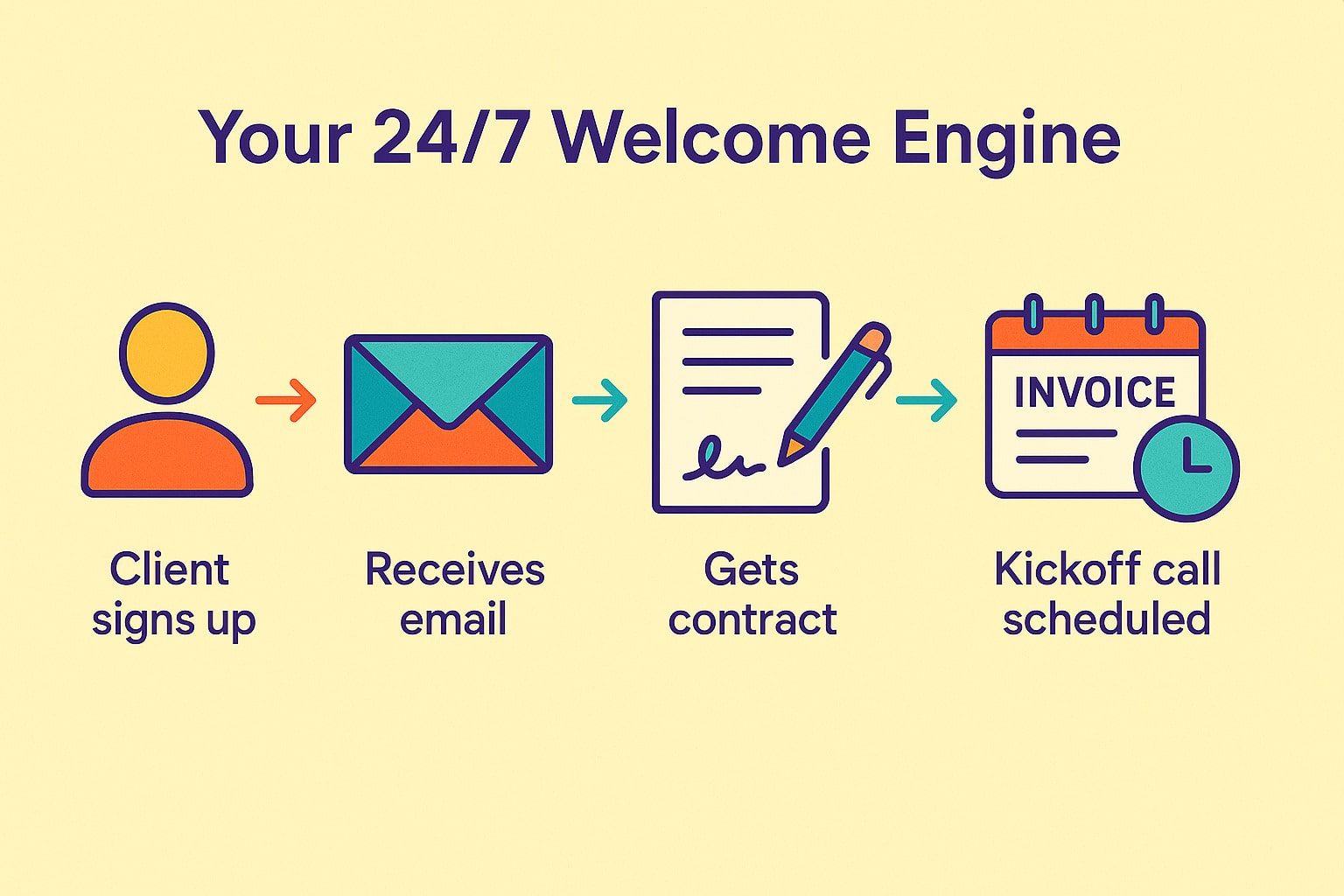
Automating client onboarding means using simple, affordable tools to handle repetitive setup tasks. Think of it as building a “welcome engine.” Once set up, it runs without you having to lift a finger.
Here’s what an automated system can do:
-
Send a personalized welcome email with next steps
-
Deliver a digital contract for e-signature
-
Generate an invoice or payment link
-
Schedule a kickoff call automatically
-
Share client questionnaires or resource links
When you combine tools like Zapier, Dubsado, HoneyBook, or even Google Workspace, you can connect your email, calendar, invoicing, and CRM in one seamless flow. For instance, when a new client fills out your inquiry form, Zapier can automatically trigger a sequence: send a welcome email, add the client to your project list, and share your scheduling link.
The result? Clients feel guided and cared for, not left wondering what comes next. You gain peace of mind knowing nothing slips through the cracks. Automation doesn’t remove the human touch—it enhances it by giving you more time to personalize where it matters most.
Step-by-Step Implementation
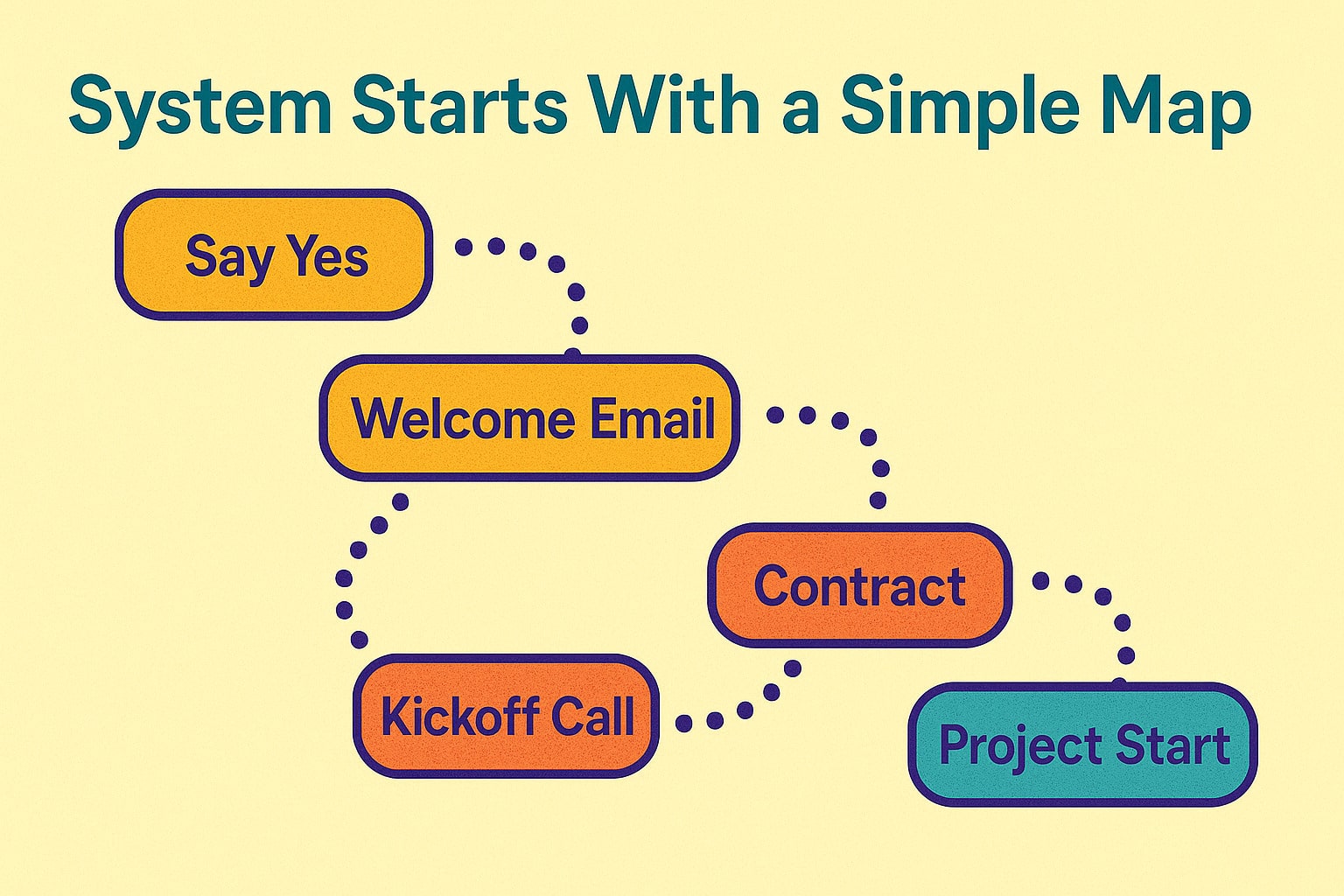
1. Map Your Ideal Onboarding Journey
Start by writing out every step a new client takes from “yes” to “ready to work.” Include communication, contracts, payments, scheduling, and information gathering. This map is your blueprint for automation.
2. Choose Your Core Tools
You don’t need fancy software to start. Many solopreneurs use Google Forms or Typeform for intake, Calendly for scheduling, DocuSign for contracts, and QuickBooks or Wave for payments. If you want an all-in-one option, Dubsado or HoneyBook combines these features in one dashboard.
3. Connect Everything
Use an automation platform like Zapier or Make (formerly Integromat) to link your tools. For example, when a client signs your contract, Zapier can automatically send a “Welcome!” email and create a task in your project manager.
4. Add Personalization
Create templates that sound human, not robotic. Use the client’s name, reference their project, and outline what happens next. Write once, use forever—but make it feel fresh every time.
5. Test and Refine
Before rolling out your new system, test it as if you were the client. Fill out your own forms, check every link, and time each step. A smooth test run ensures your clients experience a seamless process from day one.
Common Mistakes to Avoid
First, don’t over-automate. If your system feels cold or impersonal, you’ll lose the relationship factor that makes small businesses special. Automation should handle logistics, not conversation.
Second, skipping the testing phase can lead to awkward surprises. A missing attachment or wrong link can break trust early. Always run multiple test clients before going live.
Finally, don’t “set it and forget it.” Revisit your process quarterly to update links, tweak messages, and ensure tools still sync correctly. Automation only works well when maintained.
Action Step
Take 30 minutes today to write down your current onboarding steps. Identify three tasks you repeat with every new client—like sending a welcome email, creating an invoice, or scheduling a meeting. Then choose one of those tasks to automate this week.
Start small. Even automating a single step can save you hours each month. Once you see the benefit, you’ll naturally expand your system over time.
Recap & Benefits
Automating your client onboarding creates consistency, saves time, and boosts professionalism. Instead of starting from scratch with every new client, your system works behind the scenes—welcoming, scheduling, and preparing them to work with you.
The payoff is more than saved time. You reduce stress, eliminate errors, and deliver a smooth first impression that strengthens your brand. For solopreneurs, that kind of reliability builds trust—and trust keeps clients coming back.
Automation isn’t about replacing you. It’s about supporting you so you can show up as your best self for every client you serve.
Final Thoughts
A strong onboarding system sets the tone for your entire client relationship. By automating the repeatable parts, you can focus on what you do best—building great results and lasting partnerships.
As business author Michael Gerber wrote in The E-Myth Revisited, “Systems run the business, and people run the systems.”
So build your system once, and let it work for you every time.
For a deeper dive into workflow automation tools, check out Zapier’s automation guide.
Tired of sending the same client emails again and again? This week’s Tips Tuesday shows how automating onboarding can save hours and make your business look polished. Share on XSee my archive of Tips Tuesday articles.
his Blog Post is Brought to You by Blubrry
If you’re in need of a podcast host, let me recommend Blubrry podcast hosting. No contracts and you can cancel at any time. Plus they’ve redesigned their dashboard and it’s a beautiful and simplified. Competitive prices too! And if you already have a podcast host, migrate to Blubrry for free!











